For boutique law firms

Your best hours go to admin,
not to clients.

I build AI workflows inside the software your firm already pays for. Your case system, your inbox, your calendar. Intake, chasing documents and first-draft paperwork stop being somebody’s job.

Book your free discovery →
Fifteen minutes, no commitment. You get the one-page plan either way.
New enquiryform · email · call
AI intake agentreads & routes
Matter openedin your case system
Document packdrafted from intake
Follow-upsday 3 · 7 · 14
Calendarlimitation date set
one enquiry · four systems · in parallel
Works inside
ClioFilevineSmartAdvocateActionstepPracticePantherMyCaseCosmoLexGmailOutlookMicrosoft TeamsSlackWhatsAppTwilioGoogle DriveSharePointOneDriveDropboxDocuSignGoogle CalendarGoogle SheetsExcelNotionAirtablen8nZapierMakePythonSupabasePostgresWebhooksAnthropic APIOpenAI APIWhisperYour websiteWordPressWebflowCalendlyQuickBooksXeroZoom
What I build

Five things I build
for law firms.

Each one takes a job somebody at your firm currently does by hand. Pick whichever sounds closest to your week.

Problem: Leads going cold

AI Follow-up Engine

A prospect emails Friday at 5pm. By Monday they have hired someone else. This system replies within minutes, keeps following up, and books the consultation without you touching it.

→ Replies in minutes, books straight into your calendar
Enquiry to booked call
01
Enquiry landsWeb form, inbox or missed call, caught the moment it arrives.
02
Replied in minutesAnswers the question they asked. Nobody gets “we have received your enquiry”.
03
Consultation bookedStraight into your calendar, with the file already started.
Problem: Intake is a mess

Automated Client Intake System

Booking, intake forms, document collection and conflict screening, all handled between first contact and a signed retainer. No email chain before the file even opens.

→ Signed retainer and an open matter, with no email chain
First contact to signed retainer
01
Intake form sentBuilt per matter type. An MVA claimant gets a different list from a shareholder dispute.
02
Documents chasedDay 3, 7 and 14 reminders until the last file lands.
03
Matter openedClient created, conflicts screened, retainer out for signature.
Problem: Document bottlenecks

Document Workflow Automation

Engagement letters, NDAs and standard forms drafted from a single intake response. No copy-paste from last year’s file, no retainer amount typed in wrong. First draft in seconds.

→ First draft of the routine paperwork, straight from the intake
Intake to first draft
01
Facts extractedNames, dates, matter type and fee terms pulled from the intake.
02
Draft generatedYour precedent, your wording, with the blanks filled in.
03
Filed for reviewSaved against the matter and flagged for a lawyer to sign off.
Problem: Litigation prep takes days

AI Litigation Agent Suite

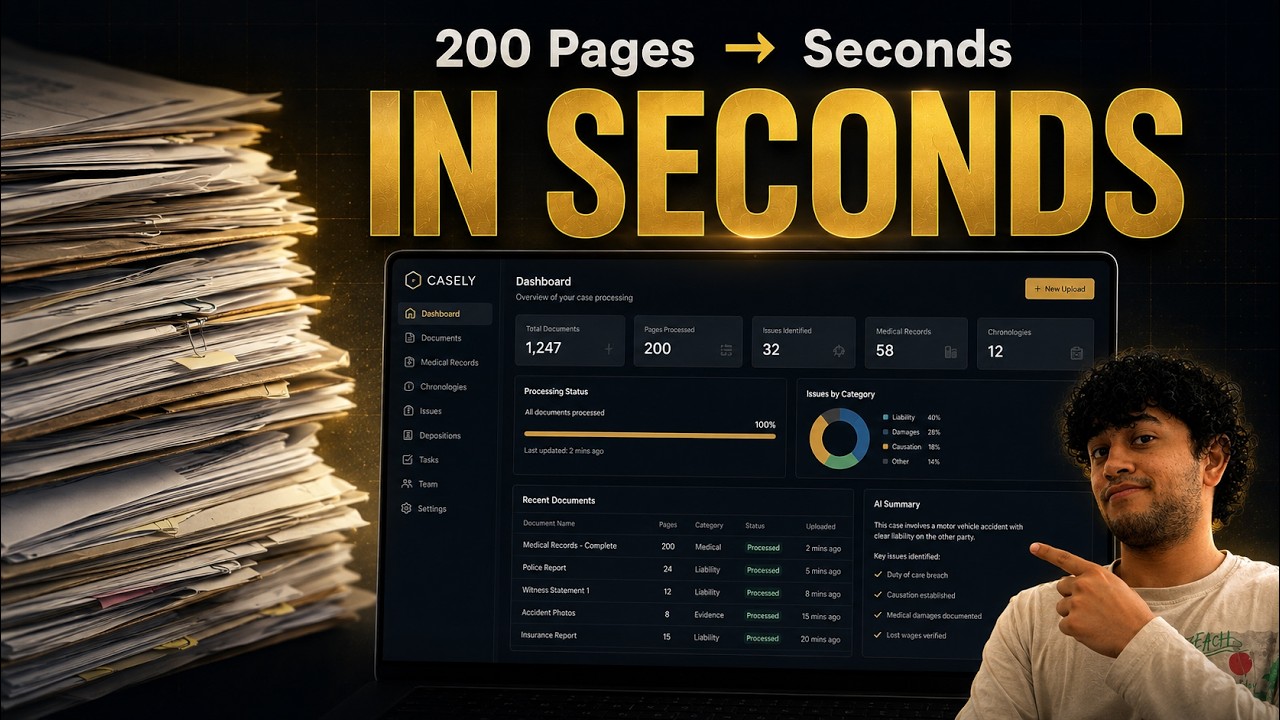
Four agents built for personal injury and family matters: a Damages Calculator, a Medical Chronology Builder, a Discovery Digestor and a Demand Package Generator. Feed in the case file and get structured output in minutes.

→ Chronology, damages breakdown and demand package as first drafts
Case file to structured output
01
File ingestedRecords, productions and correspondence read end to end.
02
Structured outputChronology, damages breakdown or discovery digest, each line linked to the page it came from.
03
Lawyer reviewsEverything arrives as a first draft for a lawyer to check.
Problem: No visibility on active files

Automated Case Dashboard

A live view of every active matter: deadlines, outstanding documents, last client contact, next action. Built in Google Sheets or Notion, so there is no case management licence to buy.

→ Full file visibility across every active matter
Every matter, one view
01
Pulled automaticallyMatter data syncs from your case system and inbox on its own.
02
Deadlines surfacedLimitation dates and next actions sorted by what is closest.
03
Nothing to maintainNo one has to remember to update a spreadsheet.
Problem: invisible to AI search

AEO & SEO for Law Firms

Someone asks ChatGPT or Google’s AI Overview for a lawyer in your area. Three or four firms get named. Most boutiques are not among them, and the SEO retainer they paid in 2021 does not put them there either. AEO (answer engine optimisation) and GEO (generative engine optimisation) are about getting quoted by the model instead of listed underneath it.

→ Your name comes back when someone asks
From query to cited source
01
Where you stand todayI ask each engine the questions your clients ask. “Best employment lawyer in Mississauga”, that sort of thing. Then I write down which firms come back. That list is your baseline, and you can watch it move.
02
Pages built to be quotedPages that answer those questions directly, with the schema markup a model needs to quote you cleanly. A human still has to want to read them.
03
Re-run every monthSame questions, same engines, every month. The only number that counts is whether your name comes back.
Build planner

Tell me your stack.
See what gets built.

Three questions, no email needed. It updates as you click, including the parts where your software makes life difficult.

01 Case management system
02 Main practice area
03 What hurts most right now
Scoped for
API access
Auth
Rate limit

What I would build first
    Walk through this on a call →
    Your data, your model

    A private model that knows
    your firm, and only your firm.

    ChatGPT gives you generic answers because it has never read your precedents. Here is how a firm builds one that has, without the files leaving its control.

    01

    Sourcing what you already own

    Closed matters, precedents, retainer and engagement templates, old demand packages, internal memos, the email where a partner explained how something is done. Most firms have a decade of this sitting in a folder nobody opens.

    Closed filesPrecedent bankTemplatesCorrespondence
    02

    Cleaned and stripped before anything is indexed

    Client identifiers come out before anything is indexed. What the model picks up is how your firm works: the way you build a chronology, the wording in your retainer, the arguments you tend to run. You sign off the redaction rules before a single file is processed.

    De-identificationRules you approvePer-matter exclusions
    03

    A closed, firm-only knowledge layer

    Everything is indexed into a store only your firm can query, in your own cloud tenancy or an isolated one I set up. None of it goes to a public training set and it is never pooled with another firm’s material. If you walk away, the index and the documents go with you.

    Isolated tenancyNo training on your dataYours on exit
    04

    Every answer shows its source

    Ask how your firm words a limitation-period warning and it quotes the file it came from. The Law Society holds the lawyer accountable for the output, so an answer you cannot trace back is an answer you cannot use.

    Citations to your filesApproval loggedAudit trail

    Before you ask

    This is a retrieval layer over your own documents, plus an optional fine-tune on your drafting style. It is not a foundation model trained from scratch for your firm. Nobody builds those for a six-lawyer practice and the cost would be ridiculous. What you get is a model answering out of your material instead of the open internet, under your control, with a record of where each answer came from.

    Process and scope

    Mapped first. Built second.
    Nothing switched on until you’ve seen it.

    Seven stages, from a 15-minute call to something running on its own. Stages four and five are where this normally goes wrong, so they get most of the room below.

    1. 01Discovery call and proposal
    2. 02Strategy and kickoff
    3. 03Build and test
    4. 04Shadow period — 2 weeks
    5. 05Supervised go-live to steady state
    6. 06Feedback and revisions
    7. 07Final delivery and handover
    Stage 03

    Built and tested before it touches a live file

    Tested end to end against the awkward files, not just the ones that behave. I build the review queue before the automation. If nobody at your firm can see what it is doing and correct it on day one, it is not finished. You come out of this stage with a runbook, a walkthrough recording and a written SOP, and you keep all three whether or not you keep working with me.

    What exists at the end of stage 03
    Pipeline, end to end—Built
    Review queue for humansfirstBuilt
    RunbookwrittenYours
    Walkthrough recordingvideoYours
    Written SOPdocumentYours
    Nothing here is live yet
    Stage 04

    Two weeks where it proposes everything and moves nothing

    It runs on your real files and writes down every decision it would have made, without making any of them. You read the log. I count two kinds of mistake separately, because they are not equally survivable. Saving a document under a slightly wrong name is recoverable, and gets an accuracy bar you agree up front. Saving it against the wrong client is not, and has to be zero across the whole sample. The confidence thresholds come out of your data rather than a default I brought with me.

    Two weeks is the usual length, but the exit condition is a sample size. If a quiet fortnight does not give me enough to judge it on, it runs longer.

    Shadow period — measured separately
    Recoverable errorsagreed barTolerated
    Unrecoverable errorszeroMust be 0
    Decisions loggedevery oneLogged
    Actions takennoneNothing moves
    Thresholdsyour dataCalibrated
    Ends on sample size, not on a calendar date
    Stage 05 → 07

    Supervised go-live, then it is yours

    Above the threshold it acts on its own. Anything below waits in a queue for a person. Every action is written to an audit log, so “who approved this and when” always has an answer.

    Handover happens on a date rather than by drifting apart. My named access is revoked, credentials are rotated, the runbook is signed over. If you want me gone after that, nothing breaks.

    Go-live and handover
    Above thresholdactsAutomatic
    Below thresholdqueuedHuman
    Audit logfullOn
    My named accesson handoverRevoked
    Credentialson handoverRotated
    Steady state: runs without me

    What is your admin actually costing you?

    Five numbers, all of them yours. The maths sits underneath.

    hrs/week
    $ /hr
    leads
    %
    $ /matter
    Billable hours lost per year
    520 hrs
    Revenue lost to admin
    $156,000
    Revenue lost from cold leads
    $72,000
    Total annual cost of doing nothing
    $228,000 / yr

    Every assumption is a field you can change, so nothing is buried in the maths. It is arithmetic on numbers you supplied. Treat the total as your estimate, not my claim.

    Get a Free Discovery →

    Things I have published.

    Videos and posts, mostly about builds that worked and a couple that did not.

    New videos drop regularly. Subscribe on YouTube → or follow on LinkedIn →

    Who you’d be working with.

    Yash Kerpal
    Yash Kerpal
    GTM & AI Engineer · Founder, NexAI

    I build the systems that sit around legal work: intake, document movement, follow-up, retrieval. I also build the outbound machinery that finds the firms who need them, which is how most of my own work turns up.

    Before this, process engineering at Procter & Gamble, where I automated reporting across four converting lines. Currently finishing Mechanical Engineering at York University, in Toronto.

    I am not a lawyer and I am not licensed anywhere. I build the plumbing. The legal judgement stays with your firm, and everything I ship is built so a lawyer signs off before anything leaves the file.

    Stack
    Claude CodeAnthropic APIPythonn8nApifySupabaseNext.jsPostgresREST & OAuth integrationsClio APIGoogle Workspace APIsRetrieval / RAGPower BIVercel

    What I have built.

    Shipped means it ran in the real world. Demo means I built it and ran it on sample files. I am not claiming anybody else’s results as mine.

    Shipped

    $120,000/year cut at Procter & Gamble

    Power BI reporting dashboard automation across 4 converting lines at P&G ($80B+ in annual sales). Manufacturing rather than legal, but it is where I learned to look at a process this way.

    Power BI · SQL · process engineering
    Shipped

    10,000 qualified GTA law-firm leads in 3 days

    An automated lead pipeline that sourced, enriched and de-duplicated ten thousand Greater Toronto law-firm leads inside three days, straight into a working CRM.

    Claude Code · Apify · Google Sheets · n8n
    Shipped

    5 discovery calls booked in 3 weeks

    The outbound system on top of that pipeline drafted, sent, tracked replies and followed up. It booked five discovery calls with Ontario law firms in three weeks.

    n8n · Instantly · custom CRM
    Demo

    Employment-law intake that chases its own documents

    Messages a new client on WhatsApp, chases missing documents automatically at day 3 and day 7, creates the contact, matter and Drive folder, and flags a lawyer callback at day 14. Built and demoed on a sample wrongful dismissal client.

    n8n · WhatsApp · Clio API · Google Drive
    Demo

    Demand package: ~4 hours down to 4 minutes

    An AI demand package generator for personal injury firms, cutting a full package from roughly four hours to four minutes in a demo on a sample motor vehicle file.

    Anthropic API · Python · document generation
    Demo

    Medical records to evidence matrix

    Turns a stack of medical records into an injury evidence matrix, a medical chronology, and a causation and prognosis summary, ready to drop into a demand package. Demo on a sample Ontario motor vehicle file.

    Anthropic API · retrieval · structured extraction
    Shipped

    Free automation discovery toolkit for boutique firms

    A 22-page guide, 50 original legal prompts, 6 workflow blueprints and an ROI calculator. Published free, no email gate.

    Written and published
    Skip the call

    The email is already written.
    Add your address and send.

    If a call is more than you want to commit to today, send this instead. It fills itself in from the planner above and you can rewrite every word.

    To: yash@getnexai.co
    Goes to my inbox. You will not end up on a list.
    Get started

    Fifteen minutes.
    Then you’ll know
    what to automate.

    You already know which hour of your week disappears. Fifteen minutes tells you whether it is fixable. You keep the answer either way, even if you never hire me.

    • I map what your firm is still doing by hand
    • You see what I would build, inside the tools you already have
    • You keep the one-page plan even if I never build it

    Yash Kerpal is not a lawyer and is not licensed anywhere. I build the systems around legal work. The legal judgement stays with your firm.

    Free workflow discovery 15 min

    No contract and no deck. Pick a time and bring a typical week.

    Book your free discovery →